Back
Employee Meal Programs: How to Choose a Model and Build the Budget
Choose an employee meal model by matching it to daily attendance, service frequency, available space, and the amount of coordination your team can absorb. Build the budget from expected meals served, not total headcount, then add service costs, equipment, supplies, internal administration, waste, and contingency.
CookUnity corporate meal programs can support recurring chef-prepared meals, employee choice, or an on-site smart fridge. The right format depends on attendance and available staff time.
Key takeaways
Use expected attendance and participation, rather than employee size, as the starting volume.
Compare scheduled catering, employee-selected meals, stipends, smart fridges, and cafeteria service against the same operational criteria.
Budget for the full program, including service charges, equipment, supplies, staff time, waste, and contingency.
Separate fixed costs from usage-based costs so attendance swings do not hide the program's real cost behavior.
Run a defined pilot and measure ordered meals, used meals, waste, employee feedback, and administrative time before expanding.
What should you decide before comparing meal models?
Start with the program's purpose, eligible employees, and service days. Document attendance, service windows, space, equipment, dietary preferences, and the person who owns ordering and issue resolution. These inputs determine which models are practical.
Write down the program's main job in one sentence. HR may be improving an in-office benefit, while an office manager may need to reduce daily ordering work. Teams with staggered schedules may care more about access outside one lunch window.
Define eligibility and frequency, including whether contractors or visitors qualify. Then count usable refrigerator shelves, microwaves, counters, waste stations, and seats. Prepared meals need refrigeration and reheating; catering needs staging and cleanup space; a smart fridge needs a suitable footprint and power.
Which meal program models work for you?
Offices can use several meal models, but each responds differently to attendance changes and employee choice. Scheduled catering suits a shared lunch window. Employee-selected meals suit planned attendance. Stipends maximize individual choice. Smart fridges support variable schedules. Cafeterias carry the largest fixed operating commitment.
Model | Best fit | Space or equipment | Staff time | Cost behavior |
Scheduled catering | Predictable attendance and a shared meal time | Staging, serving, seating, and cleanup space | Moderate coordination for menus, counts, delivery, and exceptions | Order minimums or guarantees can create overage when attendance changes |
Employee-selected prepared meals | Teams that can order ahead and value individual choice | Refrigeration, reheating, counters, and waste stations | Low to moderate, depending on ordering and distribution | Mostly varies with selected meal count, plus delivery or service charges |
Meal stipend or delivery credit | Hybrid or distributed teams that want broad individual choice | Little shared office equipment | Moderate to high for policy questions, exceptions, and reconciliation | The subsidy cap is predictable; fees and employee orders may vary |
Office smart fridge | Variable schedules, staggered breaks, or access beyond one lunch period | Fridge footprint, power, and a suitable common area | Lower day-to-day work when installation, stocking, and maintenance are vendor managed | Depends on subsidy design, usage, service terms, and any volume requirements |
Employer-operated cafeteria | Consistent daily demand and an organization prepared to run foodservice | Dedicated kitchen, service area, and dining space | High because staffing, purchasing, service, and oversight stay on site | Significant fixed facility and labor costs, plus variable food costs |
For deeper comparisons, see how smart fridges compare with delivery apps and how employers structure meal perks for hybrid teams before requesting proposals.
How many meals should you budget for each week?
Forecast weekly volume from the people expected on site, the share likely to participate, and the number of service days. Do not multiply number of employees by five days unless attendance data supports it. Use badge,
desk-booking, or recent event data when available, then compare the forecast with actual pilot use.
Use this planning formula:
Eligible employees x expected on-site attendance rate x expected participation rate x service days = forecast meals per week
Which costs belong in an employee meal program budget?
The budget should capture every cost required to make meals available and usable, not only the menu price. Separate one-time setup, recurring fixed costs, and costs that rise with meal volume. This makes proposals easier to compare and gives Finance a clearer view of what changes when attendance moves.
Use this checklist:
Food or meal price, based on the funded portion of each order.
Delivery, service, stocking, platform, or account fees.
Refrigerators, microwaves, shelving, counters, electrical work, or installation.
Serving supplies, utensils, napkins, labels, cleaning, and waste removal.
Internal labor for ordering, receiving, issue resolution, and invoice reconciliation.
Food that expires, is damaged, or remains unused after service.
Overage, replacement meals, rush orders, and other exception costs.
A contingency line tied to a written approval rule.
Ask each vendor to separate included services from optional or usage-based charges. Confirm what happens when attendance changes, an order misses its cutoff, a meal is damaged, or the office needs extra meals. Put those cases into the comparison sheet so the budget reflects normal operations as well as exceptions.
Assign an owner for delivery receipt, storage checks, meal distribution, cleanup, and support requests. Include the time for those tasks in the pilot budget. A model that looks inexpensive on an invoice can still demand hours from HR or the office team.
How do fixed and variable meal costs affect the budget?
Fixed costs continue even when fewer employees come to the office, while variable costs move with orders or use. Classifying each line this way shows which model can absorb attendance swings. It also prevents a low menu price from obscuring equipment, staffing, or minimum-volume commitments elsewhere in the program.
A cafeteria may carry facility and labor expenses before the first meal is served. Catering minimums can create a fixed floor. Employee-selected meals more closely follow confirmed orders. A smart-fridge agreement may combine service terms with usage-based meal costs.
Track two figures during a pilot:
Cost per ordered meal: total program cost divided by meals ordered or stocked.
Cost per used meal: total program cost divided by meals collected, purchased, or consumed.
The gap shows the effect of over-ordering, expiration, and no-shows. Keep employee co-pays separate so the
company-funded amount remains visible.
How should you test the program before a full rollout?
Run the pilot long enough to include normal high- and low-attendance days, then compare the same measures each week. Define the eligible group, service days, subsidy, ordering deadline, and issue owner before launch. A pilot without stable rules produces activity, but it does not produce a dependable budget.
Set a baseline from current meal spending and administrative time. Record attendance, meals ordered, meals used, unused food, company spend, employee payments, support issues, and staff minutes. Ask consistent questions about selection, access, timing, and dietary fit.
Review total company cost, cost per used meal, participation by day, waste, and staff time. Do not treat participation alone as success if coordination is heavy or the office lacks storage and reheating capacity.
How CookUnity fits
CookUnity is built for offices that want employee choice without operating a cafeteria. Through employee lunch programs, a team can offer individually packaged, chef-prepared meals instead of selecting one group menu for everyone. Meals from award-winning chefs can give employees more variety while the employer keeps the program tied to a defined service schedule and subsidy.
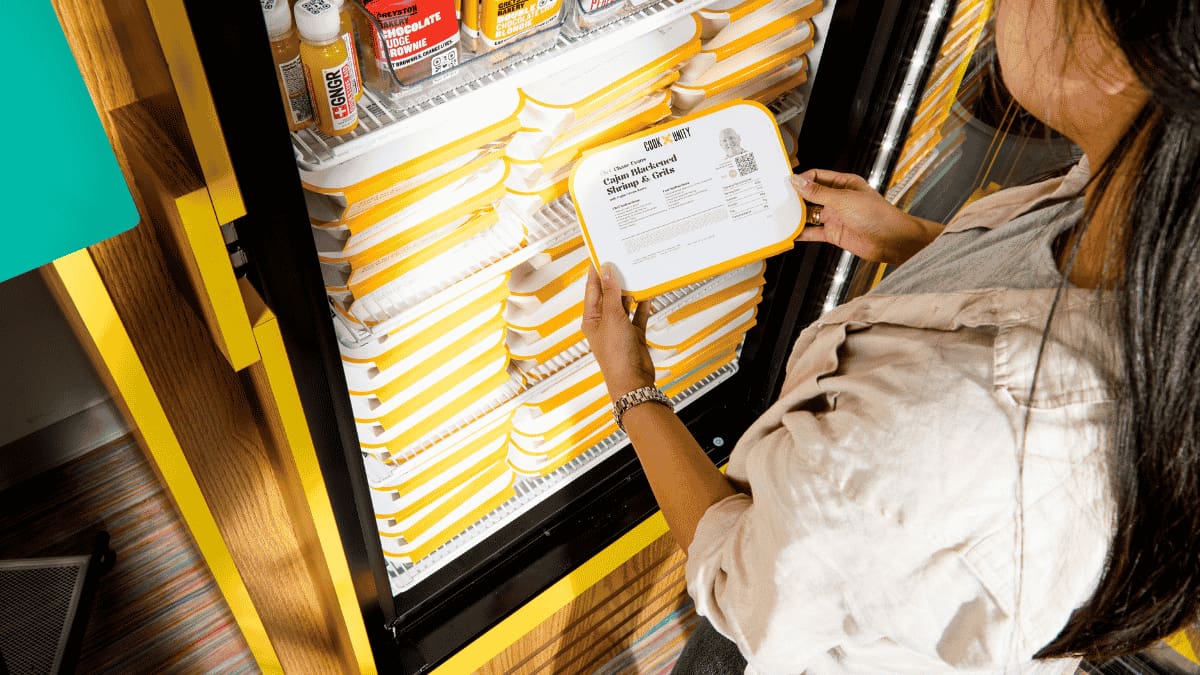
For offices with changing schedules or demand outside one lunch period, an office smart fridge may be the better format. CookUnity can manage installation, stocking, and maintenance, while the employer sets the subsidy approach with the CookUnity team. The office still needs a suitable location, access plan, and enough reheating capacity for expected use. Pricing is per meal and scoped in consultation based on the program.
FAQ (Frequently asked questions)
How much should an office budget for employee meals?
There is no flat amount for every office. Start with expected attendance, participation, service days, and the employer-funded amount per meal. Add fees, equipment, supplies, staff time, waste, contingency, and exception costs. Confirm vendor pricing and service terms through proposals.
Should the company fully fund meals or use a subsidy?
Choose based on the program's purpose and total budget. Full funding removes an employee payment step but gives the employer the full cost of participation. A subsidy caps company support while requiring clear rules for employee payments, unused balances, and exceptions.
How should a hybrid office forecast meal participation?
Use office-specific attendance data rather than total headcount or a general benchmark. Start with badge or desk-booking patterns by weekday, then estimate the share of employees likely to use the meal benefit. Compare the forecast with pilot results and update future orders by day instead of relying on one weekly average.
Is a smart fridge a good fit for a large office?
It can be when attendance varies, employees work outside one lunch period, and the office has a suitable common area. Fit also depends on expected use, subsidy design, service availability, and vendor requirements. Compare those terms with scheduled delivery before deciding based on headcount alone.
What equipment does an office meal program need?
Requirements depend on the model. Individually packaged meals need refrigeration, reheating, counter space, and waste stations. Large group orders needs receiving, staging, serving, and cleanup space. A smart fridge needs power and an appropriate footprint. Test the proposed layout during the pilot before buying additional equipment.
How long should an employee meal program pilot run?
Run the pilot long enough to capture normal attendance changes across the office's service days. Set the dates before launch and avoid changing the subsidy, eligibility, or ordering rules midway through the test. The goal is to compare several consistent service cycles, not to judge the model from one unusually busy or quiet lunch.
Talk to our team about a pilot for your office
An office does not need to guess at weekly volume. Talk to our team about a pilot for your office and scope the program around attendance, choice, space, and budget.

Be the first to know about new offers
Multiorder discounts, free items and more.